What Is a 3D Virtual Tour and When Does a Listing Need One?
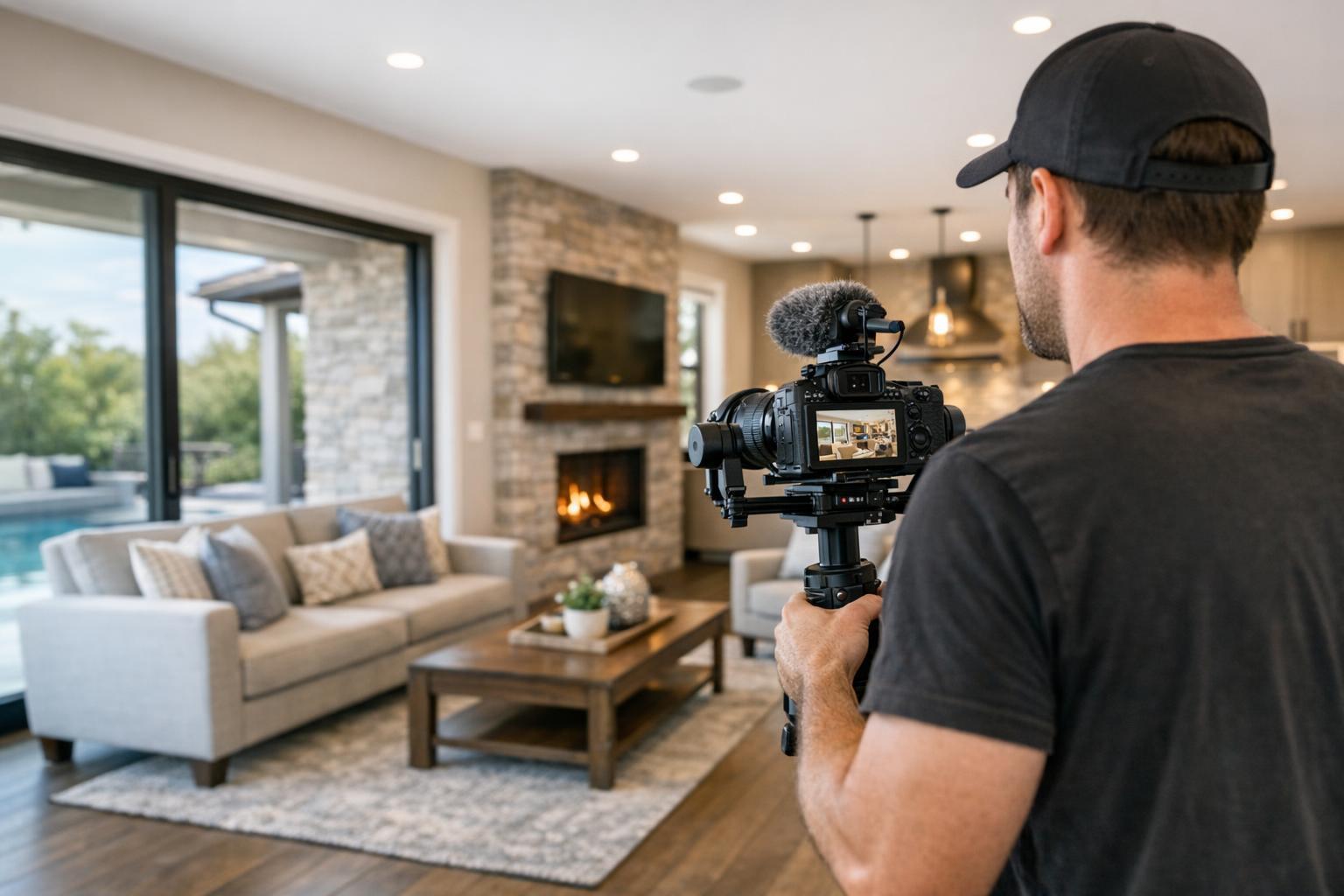
Experience a 3D virtual tour of a modern open-concept living space featuring a cozy living room, a sleek kitchen with an island, and elegant hardwood flooring.


What Is a 3D Virtual Tour and When Does a Listing Need One?
A 3d virtual tour can transform how a property is marketed, letting buyers, tenants, or clients explore rooms and hallways online as if they were actually there. Instead of simply clicking through a series of static listing photos or watching a guided video, visitors navigate the space themselves, gaining a much deeper understanding of how everything connects.
But should every listing have an interactive property walkthrough? Not necessarily. In real estate, the smartest marketing is never just about showing off technology—it’s about offering the right kind of clarity for each property.
What Makes a 3D Virtual Tour Different?
Unlike traditional photos or video, a 3D tour is built from an on-site scan. Specialized equipment captures the space from multiple vantage points, weaving those scans into a seamless digital model. The result is an immersive, room-by-room experience where viewers can choose their own path—popping from the kitchen to the living area, checking out the main suite, or doubling back to see how a hallway connects to the rest of the apartment.
It’s a bit like combining the logic of a floor plan with the realism of being inside the property. While a floor plan shows the skeleton of the layout and listing photos highlight the best views, a 3D tour lets people connect those dots on their own—to move at their own pace, look around corners, or revisit specific spaces until the layout clicks.
Crucially, these tours don’t replace in-person showings or physical inspection. They are not meant to let remote buyers judge the texture of countertops or zoom in on every finish. But they do answer one of the most common questions in real estate marketing: “How do these spaces actually fit together?”
Comparing 3D Tours to Photography, Video, and Floor Plans
Choosing between listing media—photos, video, floor plans, and interactive property walkthroughs—is less about the “latest and greatest” and more about fit. Here’s how each option stacks up:
- Listing Photos: These offer the best way to spotlight natural light, finishes, staging, and architectural details. They create strong first impressions and are universally expected. However, even a carefully chosen set of images can leave viewers wondering how the spaces actually connect.
- Video Tours: Capturing a true sense of movement, video lets you “walk” through the property as the camera guides you from foyer to living room to backyard. It’s especially powerful for dramatic sequences, like a terrace reveal or a two-story entry. Still, the experience is directed; viewers follow a predetermined route and can’t pause to explore a puzzling area.
- Floor Plans: A map of the property’s bones. Floor plans provide instant answers about room sizes, placements, and doors. They make quirky layouts easier to grasp at a glance but lack any real sense of atmosphere or flow.
- 3D Virtual Tours (Matterport, Zillow 3D Home): Here, a viewer decides where to go next. Think of it as an open house, but online and anytime. This format is ideal when how rooms flow and relate to one another is part of what makes the listing appealing—or confusing.
When Does a Listing Really Need an Interactive Tour?
Not every space benefits equally from a 3d virtual tour. The decision often comes down to three big factors: complexity of the layout, usefulness of self-directed exploration, and the needs of your target audience.
- Complex or Unusual Layouts: Manhattan co-ops with galleries and tucked-away bedrooms, Brooklyn brownstones with parlor, garden, and lower levels, and sprawling New Jersey homes that flow across multiple floors all qualify. If you suspect buyers will ask, “Where is that second entrance?” or “How far is the main bedroom from the kitchen?”—a virtual tour can help.
- Remote or Discerning Buyers: When listings attract out-of-town clients or busy buyers weighing which properties are worth seeing in person, a virtual walkthrough provides context that plain photos can’t match.
- Model Units and New Developments: For developers and sales teams, tours of model units or amenity spaces can inform and engage prospects even when physical access is limited or when different layouts need side-by-side comparison.
- Commercial Spaces: Offices, retail, and mixed-use properties often benefit from a walkthrough, especially when internal navigation—like routes between entrance, reception, meeting areas, and storage—affects a tenant’s decision.
On the flip side, if a studio is laid out logically, or the main selling points are finishes, a view, or outdoor access, strong photography and a clean floor plan may do the job just fine.
The Technology: Matterport Tour vs. Zillow 3D Home Tour
It’s common to hear “Matterport” used as a catchall term for high-end 3d virtual tours, but it’s a brand—one known for detailed, interactive, room-to-room walkthroughs that can be published across major listing platforms. Zillow 3D Home is another format, tailored for properties that prioritize visibility within Zillow’s search ecosystem.
Both options require in-person scanning (no, you can’t build a true tour from listing photos or a set of floor plans). Choosing between them is mostly about where the property will be marketed and how much interactive detail you need. Agents in NYC and New Jersey often prefer Matterport for its flexibility and depth, while Zillow 3D Home becomes a go-to for properties aiming for maximum exposure on Zillow.
If you’re in the RealtaSnap service area, either option can be arranged as part of a custom media package.
Preparing for a Successful Property Capture
Because the finished 3d virtual tour represents exactly what’s on site during the scan, preparation matters. Here are some helpful steps before scan day:
- Tidy up all rooms, including less obvious spaces like hallways, entryways, and storage.
- Remove personal belongings—including mail, clothing, pet supplies, and documents.
- Turn on all lights and open shades or curtains as needed.
- Think about where people and pets will be during the shoot to avoid surprise cameos.
- Confirm access to every space you want included (common areas, amenities, extra storage, roof decks, etc.).
- For occupied properties, decide if residents will step out or wait in a specific area while each section is scanned.
If the tour also includes a floor plan add-on, those require the same on-site scan—no remote file creation or digital speculation. RealtaSnap’s team always captures what’s real, never a “proposed” layout or hypothetical renovation.
Navigating NYC, Brooklyn, and New Jersey Logistics
Urban listings introduce extra planning: doorman procedures, elevator reservations, and strict access policies are all real factors. Brownstones may involve multiple floors, gardens, and roof levels that need unlocking or advance notice. In New Jersey, sprawling homes may mean access to detached garages or pool houses.
Before booking, ensure you’ve:
- Checked building rules and appointment requirements
- Confirmed access to every room or amenity area you want scanned
- Scheduled around resident or tenant availability
- Noted any areas to keep off-camera
Properties in Manhattan, Brooklyn, or across New Jersey can each present unique challenges—and a smooth shoot starts with well-managed details.
Is a 3D Tour Right for Your Next Listing?
If you’re debating whether to add a 3d virtual tour, ask yourself: would a stranger be able to confidently understand the layout from photos and a floor plan alone? Or would an interactive walkthrough help answer lingering questions about how rooms connect, which spaces are private, and what the overall experience is really like?
For complex, multi-level, or unconventional properties, 3D tours bring real value. For compact homes with simple setups, they may not be necessary.
If you’re in NYC or New Jersey and want to learn more, take a look at RealtaSnap’s available real estate photography and media services or start planning your next shoot at www.RealtaSnap.com.
FAQ
Question: How long does a typical 3D property scan take?
Answer: Scan time depends on the property’s size, layout complexity, and the number of rooms, plus whether any additional services are included in the same visit. A studio will take much less time than a 5-bedroom, multi-floor home. Preparing the property in advance can help everything run smoothly.
Question: Can tours be created from photos or floor plans if access is difficult?
Answer: No—true 3D virtual tours require an on-site scan of the real, physical space. Photos and floor plans are useful for marketing, but they can’t be stitched into an interactive, navigable tour of the property.
Question: Is it worth ordering both a 3D tour and a floor plan?
Answer: For many larger or unusually arranged listings, yes. A floor plan offers a quick, at-a-glance overview, while a 3D tour lets viewers “walk” through as if they’re there in person. For small or straightforward properties, one clear presentation may be enough. If you’re unsure, RealtaSnap can help you select a media package tailored to your needs.
Ready to give your listing a boost? Explore what RealtaSnap can do for you at www.RealtaSnap.com.