What to Know Before Ordering a 3D Virtual Tour for a Property Listing
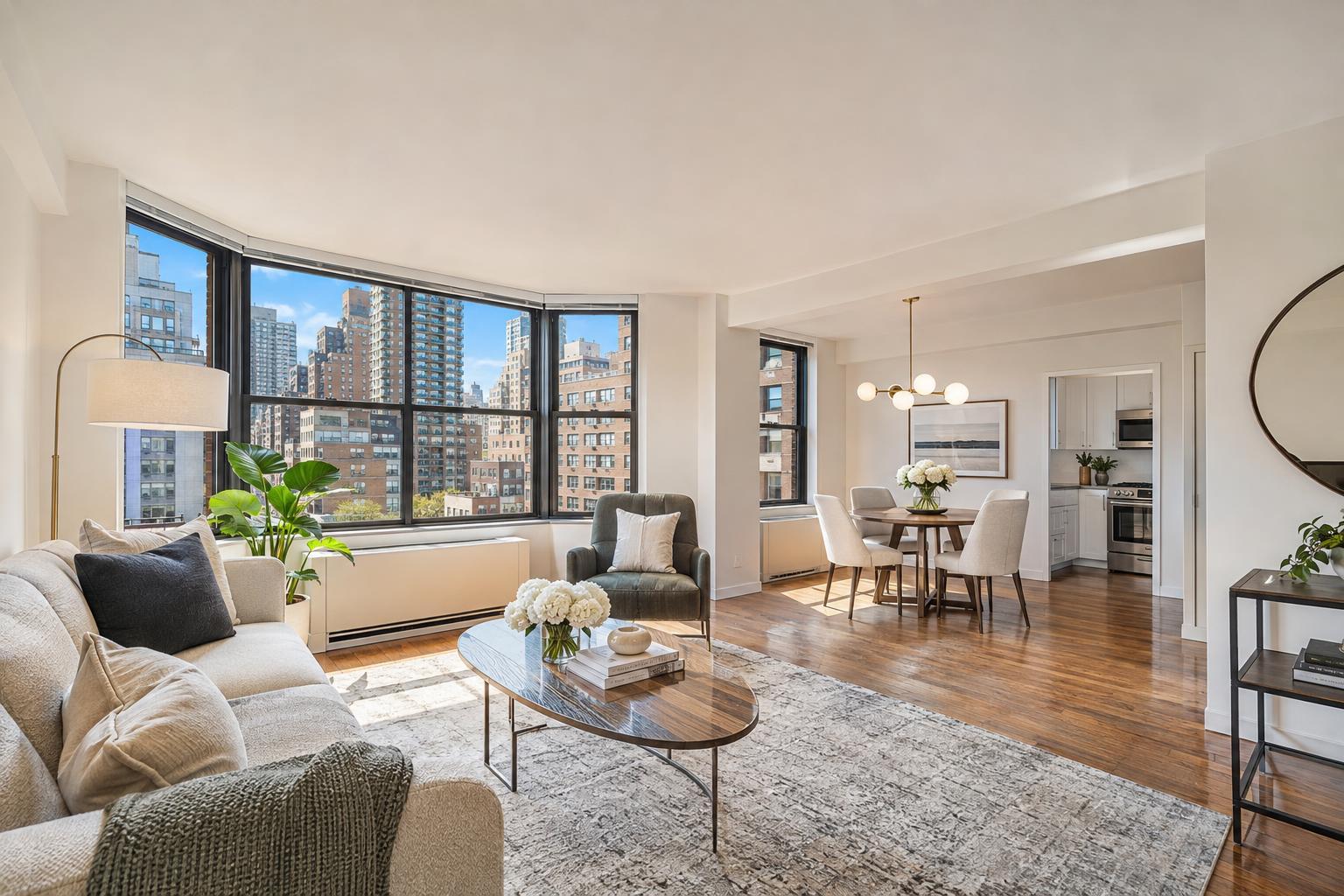
Explore the sleek open-concept living space featuring a cozy fireplace, modern kitchen, and inviting dining area through a 3D virtual tour.


What to Know Before Ordering a 3D Virtual Tour for a Property Listing
A 3d virtual tour for your New York City or New Jersey listing can do what static images often can’t: let viewers explore a property as if they were actually inside it. Instead of flipping through a photo gallery and guessing how rooms connect, potential buyers, tenants, or clients can “walk” from space to space, examining layout, flow, and details on their own terms. But deciding when—and how—to use a virtual tour involves more practical considerations than it might seem at first glance.
Let’s break down what NYC and NJ agents, brokers, owners, and property managers should know before ordering a 3D tour, from setting expectations to choosing the right platform and prepping for that crucial on-site scan.
What an Interactive Virtual Tour Really Adds to a Listing
Professional real estate photos are great for highlighting finishes, light, and staged moments. A 3D interactive property walkthrough changes the focus: it puts the viewer in the driver’s seat. Instead of a set of selected angles, people can control the pace and sequence, move from the kitchen to the living room or office, and get familiar with the space’s story before they ever step inside.
When is this truly beneficial? Consider these scenarios:
- A narrow Manhattan apartment with a layout that can’t be captured in one wide shot
- A Brooklyn brownstone with distinctive garden, parlor, and upper floors
- Duplexes, lofts, or townhouse listings where movement between levels matters
- New Jersey homes that include finished basements, additions, or backyard connections
- Rental units, especially those popular with out-of-town or relocating tenants who want to visualize the space before arranging a showing
- Commercial spaces with multiple rooms, offices, or specialized zones
For listings where photos and floor plans alone don’t tell the whole story, a tour helps viewers answer big questions: How do the rooms relate? Where’s the second bedroom in relation to the main living area? Is there a private workspace, guest suite, or unique entry? Virtual tours are about context.
Not All 3D Tours Are Created Equal: Matterport vs. Zillow 3D Home
Not every 3d virtual tour is the same—and the platform you choose makes a difference. Two frequently mentioned options in the NYC and NJ markets are Matterport and Zillow 3D Home. They sound similar, but the experience and uses are distinct.
Matterport tours create an immersive, room-by-room navigation experience with extra features like a “dollhouse” view, which reveals the property’s full structure at a glance. Matterport is particularly effective for multi-level properties, larger homes, brownstones, furnished spaces, and commercial sites where how the spaces connect really needs to shine.
Zillow 3D Home tours offer straightforward interactive tours in a format optimized for Zillow listings. If your primary marketing channel is Zillow and your priority is to provide viewers with a basic, explorable walkthrough, this option may serve you well.
Before requesting “a 3D tour,” it helps to ask:
- Where will most buyers or renters first see this listing (MLS, broker site, Zillow, etc.)?
- Does the property have a layout or flow that would benefit from a richer, more immersive experience?
- How many bedrooms, floors, wings, or specialty areas are there?
- Should viewers be able to study connections in greater detail, or will a broad overview suffice?
- What’s the timeline, and how long do you want the tour available for viewers?
Matching the service to your marketing goals avoids surprises after the walkthrough is complete. If you want to see the difference for yourself, take a look at Matterport virtual tour examples on RealtaSnap’s website.
On-Site Capture: Why Virtual Tours Aren’t Built from Photos
Here’s a key detail that often catches people off guard: you can’t create a 3D tour from photos or old architectural plans. These tours require a physical scan using specialized equipment on location, connecting thousands of image points to create the interactive model.
What does this mean for agents and sellers?
- Every area you want featured in the tour needs to be accessible on appointment day (main rooms, basements, storage units, rooftop decks, etc.).
- Any changes made after scanning—paint, renovations, newly staged furniture—won’t show in the finished tour. What the camera captures is what future viewers will see.
- You can’t retroactively add or merge spaces without another site visit.
If you’re combining units, each must be available and open for scanning—same goes for garages, amenities, or detached office spaces. It’s a physical process, not a software trick.
Preparing for a Successful Property Scan
Unlike a traditional photo shoot, a virtual tour exposes the property from nearly every angle—ceiling to floor, corner to corner. Preparation should focus on clarity and comfort rather than perfection.
Handy Prep Steps
- Clear off kitchen counters and bathroom vanities
- Remove personal items, paperwork, and anything you’d prefer not to be visible multiple times
- Tuck away pet items and visible litter boxes
- Straighten bed linens, towels, curtains, and pillows
- Simplify open shelving and hide stray cords or chargers
- Take down seasonal or oversized décor if it blocks pathways
- Make sure closets, utility spaces, and balconies are accessible if you want them included
- Open doors between rooms to help the scan flow naturally
While occupied, furnished spaces are fine, less is often more. Heavy clutter, blocked walkways, or crowded transitional spaces can distract from the features you want viewers to remember. For a room-by-room prep checklist, review RealtaSnap’s real estate photography preparation guide.
Don’t Forget Access, Lighting, and Timing
The best virtual tour sessions are well-coordinated and interruption-free. Here are a few tips for smooth capture:
- Confirm who’s providing access and answering questions on site (owner, property manager, building staff, or tenant)
- In apartment buildings, coordinate with front desk, super, or doorman ahead of time
- For commercial shoots, plan around business hours, employee schedules, or guest traffic
- Turn on all lights and replace burned-out bulbs so rooms appear bright and inviting
- Clean windows and decide on shade or curtain positions for privacy and presentation
If the property is occupied, consider a brief outing or keep people and pets in already-scanned rooms to avoid appearing in the tour. The fewer active distractions, the smoother (and quicker) the appointment.
When a 3D Tour Makes the Most Sense
Not every listing needs an interactive walkthrough. Studios or simple layouts often shine with just crisp photos and a good floor plan. But if your property includes unique connections, unusual features, or attracts buyers outside your immediate market area, a virtual tour is especially helpful.
You’ll see the biggest benefit with:
- Multi-level homes, brownstones, or split-level properties
- Units with more bedrooms, flexible-use areas, or complex transitions (think attached basements, garden levels, and duplexes)
- Rental listings where long-distance interest is high, or in fast-moving lease markets
- Commercial properties with a mix of office, retail, and event zones
Think of it as answering the basic “how does this space really work?” question remotely, saving time for everyone by pre-qualifying serious buyers or tenants.
How Tours Fit Within the Rest of Your Listing Media
Virtual tours work best alongside, not instead of, your core media. Clean, well-lit photos show off finishes and atmosphere. Floor plans offer quick reference for layout. Video can capture mood or guided movement. The interactive tour then invites viewers to explore at their own pace, tying everything together.
If you’re scheduling photography and a 3D scan together, aim for consistency in cleaning, prep, and staging so the experience feels unified.
Ordering and Working With a Professional
Ready to book? Expect a straightforward experience. RealtaSnap offers 3D virtual tour capture—including Matterport and Zillow 3D Home tours—across all five New York City boroughs and throughout New Jersey. All services are booked online, and if a time is open on the online scheduler, it’s available for you.
You can compare options and view detailed information about Matterport tours in NYC and New Jersey here, or start with the main site www.RealtaSnap.com.
FAQ
Question: Can a virtual tour be created from my existing listing photos or floor plans?
Answer: No, the scan must be captured on-site using specialized equipment. Photos and plans are great reference materials, but they don’t provide the data needed for an interactive walkthrough.
Question: Does the home need to be empty before a Matterport tour?
Answer: The home can be furnished or occupied. In fact, some furnishings help viewers understand scale. It’s just important to reduce clutter, clear personal items, and open up pathways so the tour feels intentional and easy to navigate.
Question: Can every room, basement, or amenity be included in the scan?
Answer: Any area can be included if it’s accessible during the scheduled appointment and agreed upon in advance. Let your provider know what spaces you want featured so they can plan the walkthrough and ensure every area is represented.
Looking to add a 3D tour to your next NYC or New Jersey listing? Learn more, view examples, or book directly at www.RealtaSnap.com.