Virtual Staging in NYC: How to Choose the Right Approach for an Empty Listing
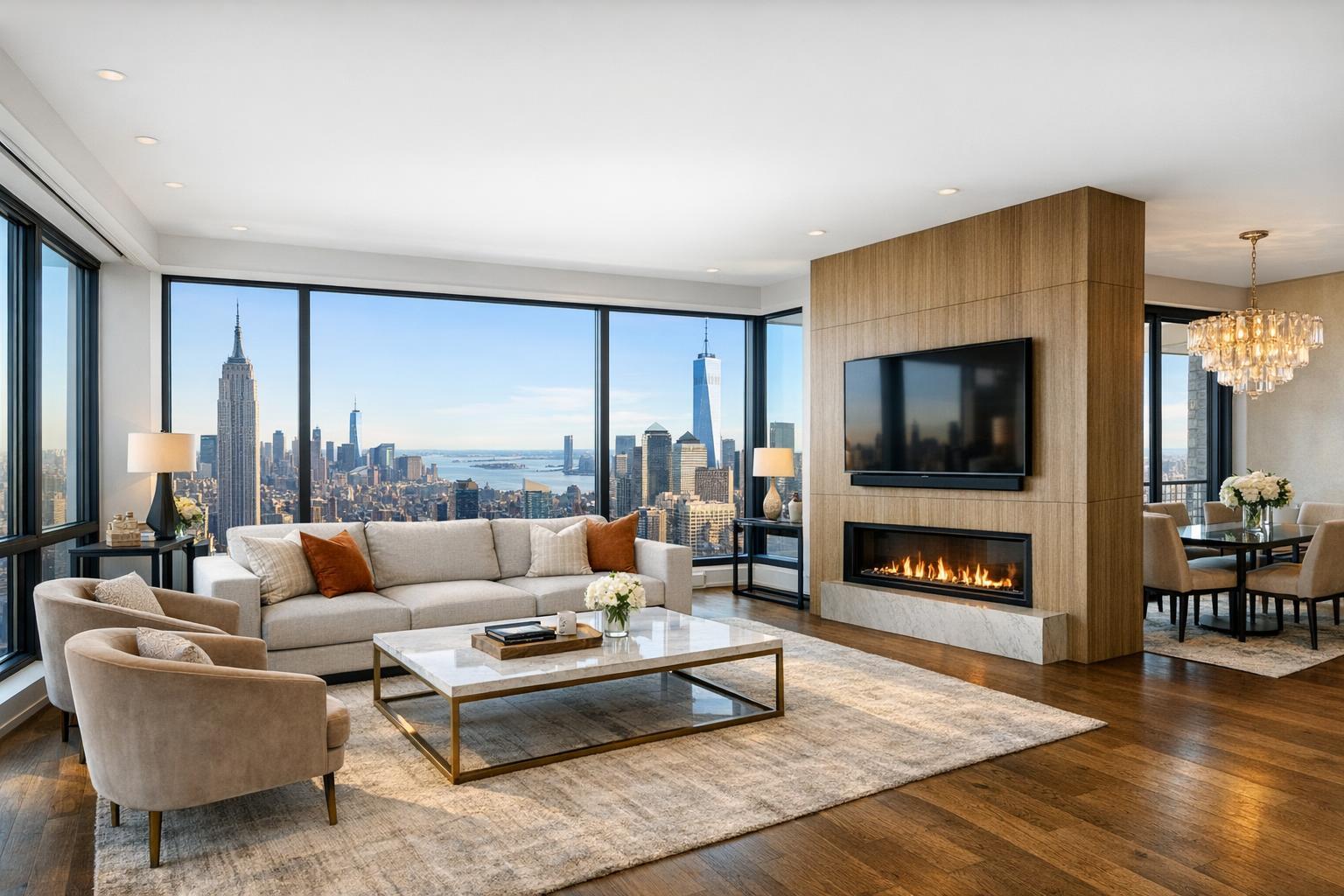
A beautifully furnished living room with modern decor, large windows showcasing a stunning cityscape, exemplifies the art of virtual staging NYC.

Virtual Staging in NYC: How to Choose the Right Approach for an Empty Listing
Virtual staging in NYC offers a straightforward solution for agents, brokers, landlords, and property managers who want to show an empty property’s true potential before it ever sees an open house. Even the brightest, most pristine vacant apartment can come across as hard to read in a listing photo. Without context, viewers may have trouble figuring out how large a living room really is, where a dining table or couch could go, or whether there’s enough space for both a bed and an office in a secondary bedroom.
By using digitally furnished listing photos, real estate professionals can bridge that visual gap without lugging physical furniture to the space. This technique is especially practical for Manhattan condos, Brooklyn brownstones, rental apartments, and new-development units—basically, any space where seeing real room function helps prospective buyers or renters make sense of the listing.
But there’s more to effective virtual staging than simply dropping in attractive furnishings. To truly help buyers and renters grasp a property’s layout and potential, you’ll want to approach virtual staging as a strategic presentation tool—not a shortcut to mask issues or alter reality. Here’s what to know if you’re considering virtual staging for your next NYC listing.
Why Use Virtual Staging for an Empty NYC Property?
Professional virtual staging starts with high-quality photography of an unfurnished room. Designers—or sometimes advanced AI—layer in digital furniture and decor. This preserves the authentic walls, floors, windows, ceiling height, kitchen details, and architectural touches while clearly showing how each space could be used.
For example:
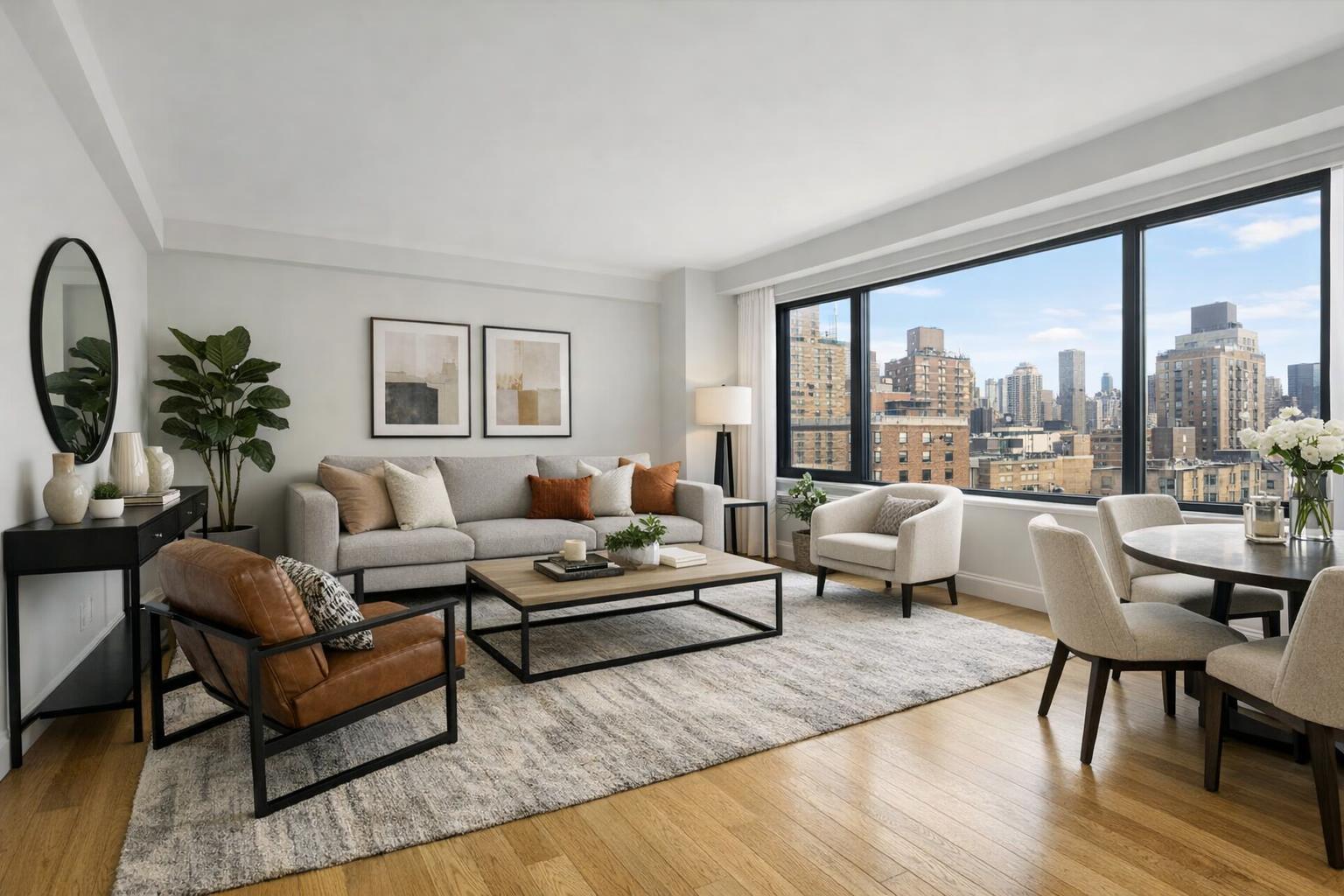
- A staged living room might display a balanced sofa grouping, coffee table, and art that fits the scale of the space.
- A second bedroom could appear as a guest room, nursery, or a sunny home office, depending on the intent.
- In tiny alcove studios, virtual furniture can make the sleeping and living zones clear and coherent.
- Larger Brooklyn brownstones often need just a few staged images to illustrate how long parlor rooms or high-ceilinged areas can function.
The goal is simple: make it easier for viewers to imagine living in the property. Virtual staging isn’t about exaggerating room size, hiding flaws, or pretending a renovation is complete. It’s about practical interpretation—furnishing the actual space accurately so buyers and renters can visualize real options.
Photography Still Comes First
Digital furniture only looks convincing if the photo underneath is strong. Clean composition, flattering natural or artificial light, straight lines, and clear room angles are all essential. Professional photography gives the editors what they need to keep proportions true—especially when working around NYC quirks like exposed pipes, radiators, odd angles, or ornate details.
If you’re prepping a property for virtual staging, try these steps:
- Turn on all working lights and replace any burnt-out bulbs.
- Open shades or blinds to maximize daylight (unless it reveals an undesirable view or brings in glare).
- Remove moving boxes, visible wires, left-behind cleaning products, and any clutter.
- Make sure floors, counters, and fixtures are dust-free.
- Confirm that appliances, doors, and fixtures are ready and in their intended positions.
- Ensure the specific rooms you plan to have staged are empty (or properly decluttered) and ready for the photographer.
Clean, vacant spaces give virtual staging editors the best canvas. A room doesn’t have to be stark or “sterile”—it just needs to be clearly and accurately represented.
Virtual Staging vs. Physical Staging: Which One Fits Your Listing?
Both virtual and physical staging can help tell a property’s story, but each has a different sweet spot.
When Virtual Staging Makes Sense:
- The property is completely vacant.
- You need images quickly, without coordinating furniture delivery.
- You want flexibility in design direction—modern, classic, or somewhere in between.
- Only key rooms need extra context (living room, main bedroom, flexible bonus space).
Virtual staging is also ideal when access or delivery issues make hauling real furniture through NYC buildings a headache. Digital staging lets you focus on the rooms that truly benefit from context, without having to outfit every square foot.
When Physical Staging Is the Better Option:
- Multiple rooms need a coordinated, in-person presentation.
- The home will have repeated open houses, showings, or events.
- The physical feeling of space, flow, and scale is hard to communicate in photos alone.
- The listing is likely to be active for an extended period.
Physical staging transforms the real-world experience—people touring the home get the full effect in person. In some cases, a blended approach works well: stage the most public rooms with real furniture, and use virtual staging only where it makes practical sense.
Choosing Which Rooms to Virtually Stage
It’s tempting to digitally furnish every empty room, but more isn’t always better. Consider where staged images will answer the real questions buyers or renters have about the space. Often, the most helpful choices are:
- The main living area
- A combined living/dining room
- The primary bedroom
- Unusually shaped spaces (think odd corners, alcoves, or dens)
- Home offices or flex rooms
- Spacious basements or lofts
Rooms where the intended use is already clear—like kitchens and bathrooms—rarely need virtual staging. The same goes for hallways, laundry areas, or closets.
For most NYC apartments, one or two staged images can clarify the core layout. For a larger property, you might want to add the family room, a flexible second bedroom, or a finished lower level.
Designing for the Space, Not the Trend
Staging works best when digital furnishings match the mood, proportions, and style of the property. Oversized sectionals in tiny studios, big pops of color in understated spaces, or completely covering up beautiful details all miss the mark.
Keep these practical tips in mind:
- Scale furniture so it fits the room naturally.
- Highlight (don’t hide) unique architectural details.
- Use mostly neutral, readable palettes, with accents for warmth or style.
- Avoid crowding windows or blocking built-ins.
- Choose furnishings that reflect the room’s most likely function.
- Hold back on accessories—clarity beats clutter every time.
Most reputable virtual staging companies in NYC, including RealtaSnap, know to keep images honest. Digital furnishings can’t replace real disclosures, fix issues, or transform the core architecture. The walls, layout, windows, and structural features you see in the photo should always match what a visitor will encounter in person.
Staying Accurate and Transparent
Virtually staged images should help buyers and renters visualize possibilities—not mislead them about what’s real. Some things digital staging should never do:
- Add or remove windows, doors, fireplaces, or notable features that don’t actually exist.
- Make rooms seem dramatically larger than their real dimensions.
- Alter structural layouts or pretend a renovation is done when it isn’t.
- Conceal genuine property conditions.
- Suggest that digital furnishings come with the property, unless that’s accurate.
Disclosure is important: always label images as “virtually staged,” and make sure they align with any platform, brokerage, or MLS requirements. Including a few unstaged photos alongside staged ones lets viewers see both the property’s actual state and its potential.
Empty Really Means Empty: Staging Guidelines
AI virtual staging is specifically designed for use with vacant or fully decluttered rooms. If a room still contains beds, sofas, boxes, or other large items, those must be physically removed or clutter removal ordered before digital staging can be applied. Staging over existing furniture rarely looks convincing and can create visual inconsistencies.
For occupied listings, it’s best to prep by removing as much as possible before the shoot. If removal isn’t feasible, have a discussion about advanced editing options before moving forward, as not every situation will suit virtual staging.
Planning a Smooth Virtual Staging Workflow in NYC
A coordinated workflow makes the process simpler for everyone. Before scheduling photography, decide which rooms should be staged and prep them so they’re empty and ready. Let your photographer know if any rooms are partially furnished, inaccessible, or have special circumstances, so they can advise on the right solutions.
RealtaSnap makes this streamlined for NYC and New Jersey listings, offering both on-site property photography and AI virtual staging for eligible empty rooms. That way, your entire visual presentation—from capture to completion—feels consistent and market-ready.
For direct booking and full details on service areas and workflow, you can start at www.RealtaSnap.com.
FAQ
Question: How many rooms should I have virtually staged when listing a Manhattan or Brooklyn property?
Answer: Focus on the rooms where adding furniture helps clarify the layout—usually the main living area and the primary bedroom. For most city apartments, two or three well-chosen staged images are enough to make the home feel approachable and easy to understand.
Question: Can I use virtual staging on a room that already has furniture or belongings?
Answer: No, the room must be vacant or fully decluttered first. AI virtual staging isn’t designed to simply edit over existing beds, sofas, or clutter. If you need to remove items first, talk to your service provider about clutter removal options.
Question: Do virtually staged images need to be labeled in my listing?
Answer: Yes, labeling is best practice, and some MLS or advertising platforms require it. A clear note that a photo has been virtually staged preserves transparency and helps buyers know what they’re seeing.
Ready to make your next empty NYC listing easier to understand? Explore professional photography and virtual staging options at www.RealtaSnap.com.