Virtual Staging in NYC: When It Makes Sense for a Vacant Listing
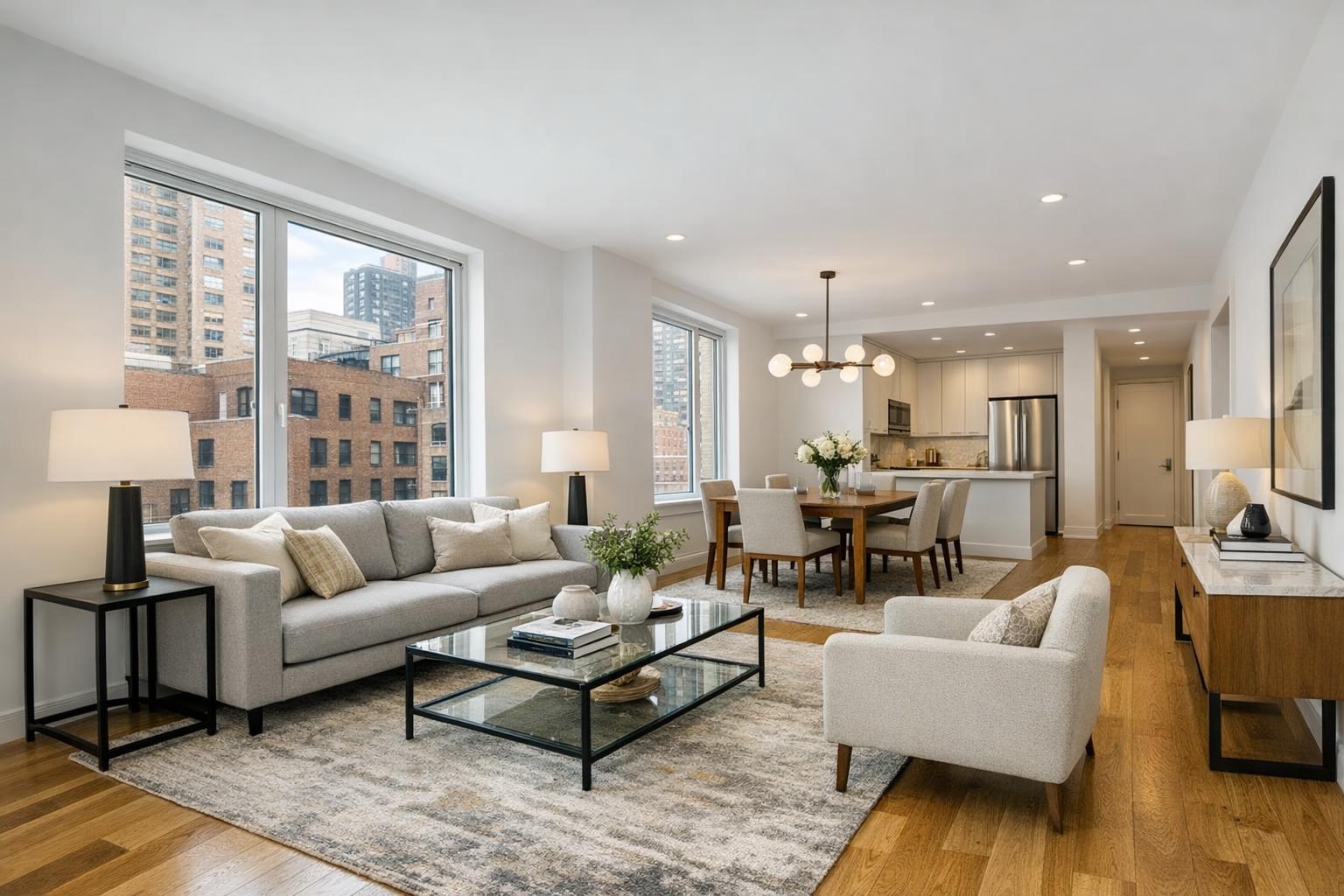
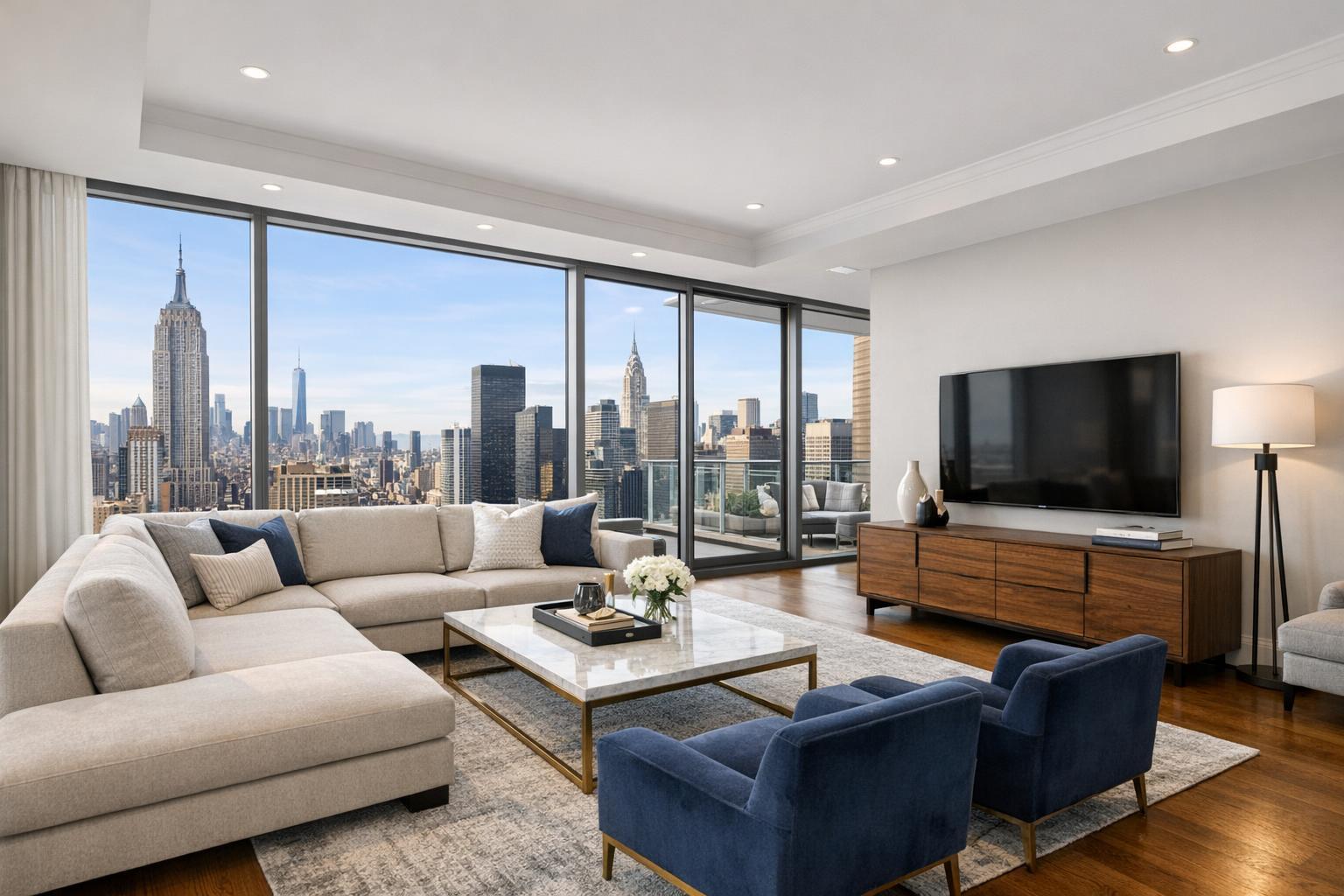
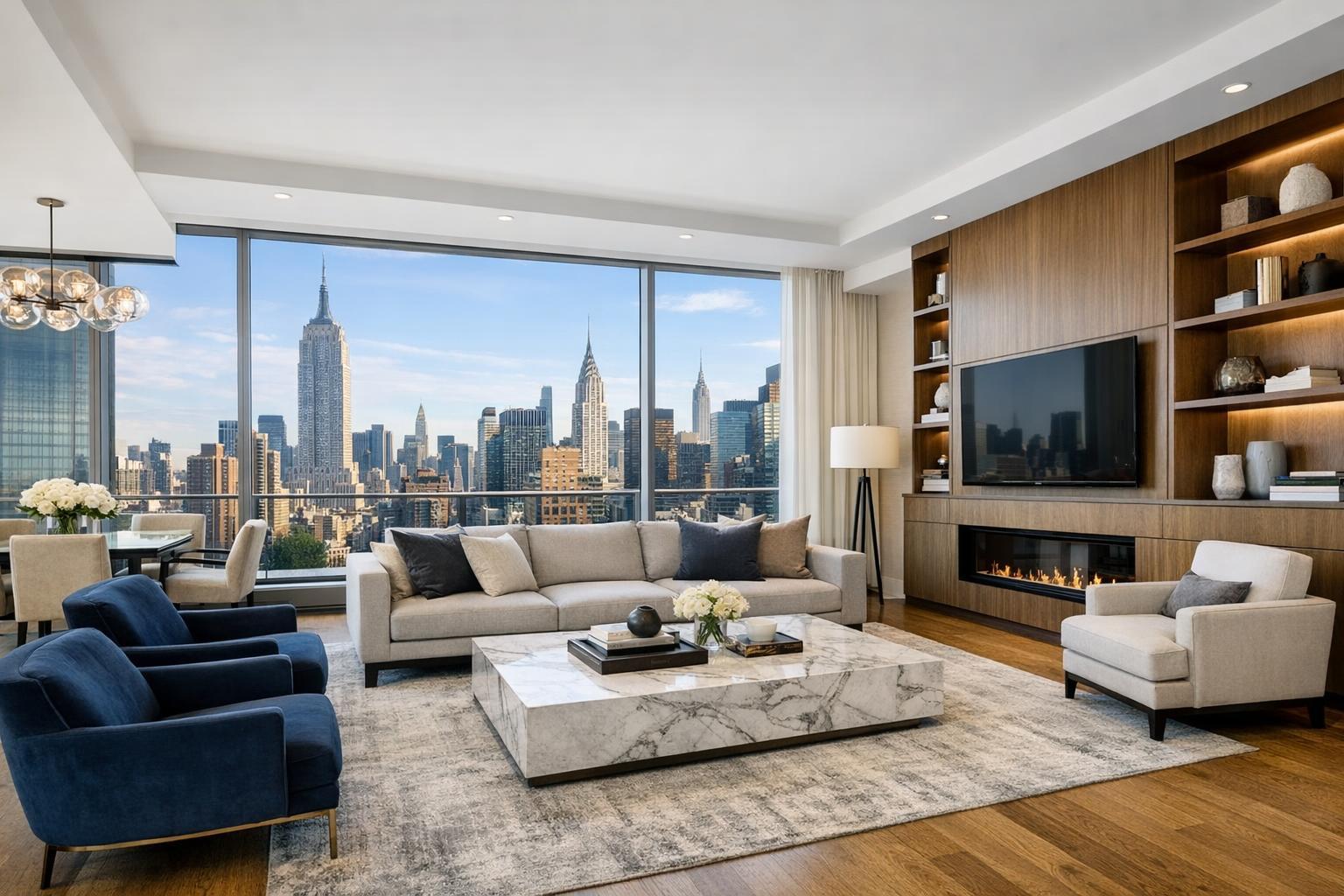
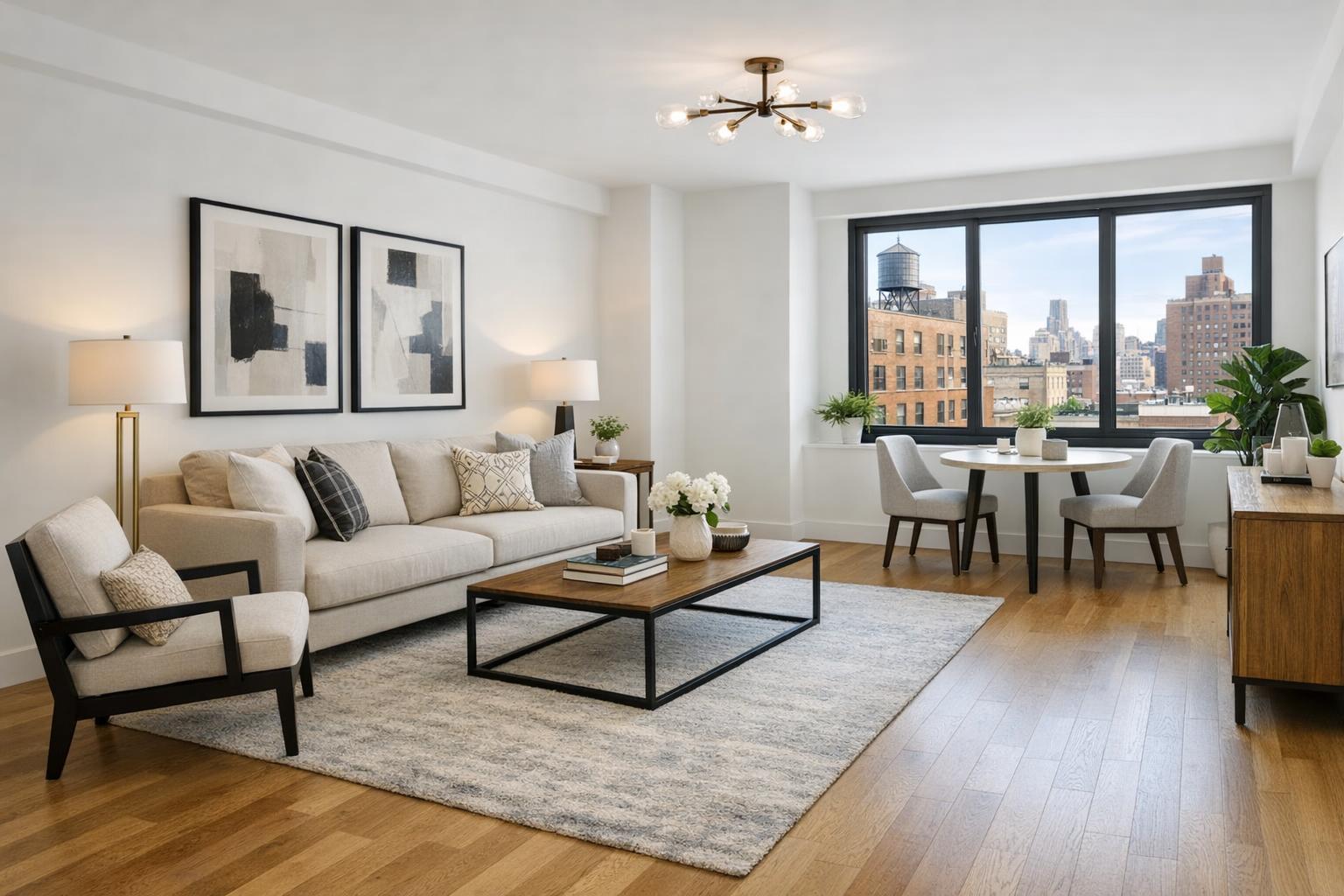
A beautifully staged NYC apartment showcases modern furniture and décor, featuring a bright living area with a cityscape view through large windows.

Virtual Staging NYC: Making Empty Spaces Stand Out in Manhattan, Brooklyn, and Beyond
Virtual staging NYC property owners and agents use has become a practical answer to a familiar problem: empty apartments and condos may look full of promise in person, but plain listing photos rarely capture their potential. Even in beautifully renovated spaces, a vacant room leaves many prospective buyers or renters unsure how to interpret scale, purpose, and flow.
Should you invest in digital furniture staging for your New York City listing? Here’s a closer look at when virtual staging makes sense, how it’s used effectively, and what to know if you’re marketing a vacant space.
Why Empty Rooms Often Need Help in Listing Photos
An unfurnished Manhattan living room or an empty Brooklyn bedroom can feel generous and open — but in photos, it’s easy for spaces to look smaller or more confusing than they really are. Without familiar reference points like a sofa or bed, viewers may have trouble judging how their own furniture would fit, what a room “does,” or whether that corner could house a desk, a jumbo armoire, or nothing at all.
Virtual staging services offered in NYC use digital methods to add lifelike furnishings to high-quality photos. This creates an immediate sense of scale and function, making it easier for buyers to imagine living in the space without hiding the architecture, natural light, or finishes.
What Exactly Does Virtual Staging Do?
Virtual staging begins with a professional photo of the actual vacant room. Using digital techniques, furniture and décor are layered in — never altering the physical details or misleading about the property. The result is a photorealistic, plausible vision for the space.
A staged photo might show:
- A right-sized sofa, chair, and coffee table in a living room
- Bed, side tables, and dresser to define a bedroom’s capabilities
- Dining setup near an open kitchen or windowed nook
- Desk and shelving for a bonus room
- Terrace or patio outfitted with outdoor seating (when appropriate)
- Multiple possibilities for a flexible den or alcove
Good digital staging makes a space feel welcoming and functional, answering the buyer’s unspoken question: “Could I see myself here?” Done thoughtfully, it sets a clear expectation for scale, flow, and use — without masking what’s real about the apartment or townhouse.
When Virtual Staging Is a Smart Fit for NYC Listings
Virtual staging services in NYC are designed specifically for listing situations where rooms are empty or have been cleared of all personal items. Several property types especially benefit:
Vacant Apartments and Condos
Unfurnished resale units make staging simple: all the property’s finishes, light, and views remain untouched in the photo, which is then digitally furnished to show how a living or sleeping arrangement will work. This is particularly helpful for:
- Studios that need a clear distinction between living and sleeping zones
- One-bedrooms or smaller condos that look awkwardly empty in wide-angle shots
- Larger residences with bonus areas (think home office, nursery, or guest suite)
Brooklyn Brownstones & Townhomes
Historic and multi-level homes often include extra rooms — a garden-level den, a parlor, or a finished basement — where the purpose isn’t always obvious. Digital furniture can clarify how each room could function, highlighting the home’s character instead of concealing it.
New-Development Inventory
For new or recently renovated buildings, virtual staging gives developers and agents the option to present a complete, livable “model unit” before physical furniture is delivered. This helps buyers picture themselves in a sleek, modern environment, provided that each staged image accurately portrays the features and dimensions of the actual unit.
Flexible and “Bonus” Spaces
Not every room has a clear default purpose. Staging can show a plausible use (such as a home office, dining alcove, or guest sleeping area) while listing details and floor plans give full context. It’s fine for a den to appear as an office in photos even if the buyer imagines another use.
The Foundation: Clean, Professional Photography
Virtual staging depends on strong listing photography. The best results come from images that:
- Show the room’s entire shape
- Keep walls, windows, and doorways level and clear
- Maintain accurate color and light
- Avoid distortion or awkward angles
If a photo is cluttered, tilted, or cut off, even the sharpest digital furniture won’t look right. That’s why it often makes sense to plan your shoot and virtual staging together, so every image is a strong base for digital presentation.
Professional real estate photographers, like those at RealtaSnap, are experienced in capturing empty rooms for this workflow. Their on-site HDR photos are designed to present spaces as they exist — and when virtual staging is added, it enhances rather than distracts from the true qualities of the property. For more on the process, see RealtaSnap’s real estate media services.
Virtual Staging Is for Vacant Spaces — Here’s Why
Rooms must be empty or fully decluttered before digital staging will be applied. Placing digital furniture on top of existing items can create unrealistic, visually confusing photos. It’s better to physically remove furnishings ahead of the shoot, or use an approved “clutter removal” editing service where possible.
- Basic clutter removal: $20 per photo (for up to five small items)
- Advanced clutter removal: $40 per photo (for five to ten large objects)
- Heavily furnished rooms are best cleared in person before photography
Discuss the condition of each room before your appointment to avoid complications — or ask if a particular space is a candidate for clutter removal ahead of virtual staging.
Choosing the Right Look — And Staging the Right Rooms
Digital furniture should respect the unique style and scale of your listing. A cozy West Village apartment may look best with compact, sparse décor, while a grand Park Slope brownstone might benefit from classic pieces and a warmer palette. Avoid staging with furniture that’s obviously oversized or out of character for the property.
Not every photo needs to be staged. Focus your digital efforts on:
- Living rooms or open areas lacking obvious scale cues
- Bedrooms that look too empty or small
- Dining spaces at risk of being overlooked
- Extra rooms that could serve several functions
Rooms with standout architectural features, beautiful kitchens, or dramatic views often photograph best without staging.
And always note in the listing which images are virtually staged — transparency helps buyers trust what they’re seeing.
The Cost of Virtual Staging and How to Book
RealtaSnap’s AI Virtual Staging is offered as a straightforward add-on at $10 per photo. Because pricing is per image, you can tailor your order to the specific spaces that will benefit most without staging the entire unit.
Consider these points when planning:
- Which rooms are vacant and need visual explanation?
- Will rooms be empty at the time of the shoot?
- What furniture style fits the property’s look and neighborhood?
- Should different uses be displayed for flexible spaces?
- Do any photos require clutter removal before staging?
Booking is easy — just visit www.RealtaSnap.com/schedule to enter the property’s address, select your services, add any notes, choose a time slot, and confirm payment.
Bringing Empty NYC Listings to Life
Whether you’re marketing a compact Manhattan studio, a spacious Brooklyn townhouse, or a gleaming new-development condo, virtual staging can bridge the gap between empty space and livable home. It’s most effective when used thoughtfully: as a clear, accurate presentation of how a room could be arranged, never as digital trickery.
If your goal is to help buyers understand the potential of an unfurnished listing, high-quality photography and professional virtual staging may be the missing piece. To explore options for your next NYC or New Jersey property, visit www.RealtaSnap.com.
FAQ
Question: Can I use virtual staging if my apartment still has some furniture?
Answer: Digital staging works best on empty rooms. If there’s existing furniture, you’ll need to remove it before your photo session or select a clutter removal service to clear the space in editing before staging is applied.
Question: Is it necessary to stage every room virtually?
Answer: No, it’s usually smarter to focus on areas where scale or use isn’t clear — such as living rooms, bedrooms, or flexible bonus spaces. Kitchens, baths, and rooms with standout architectural features often look best left as they are.
Question: How much does RealtaSnap virtual staging cost, and what’s included?
Answer: AI Virtual Staging is $10 per photo as an add-on to your photography order. Clutter removal before staging is available if needed, at $20 or $40 per photo depending on complexity. You can select and book services directly online.