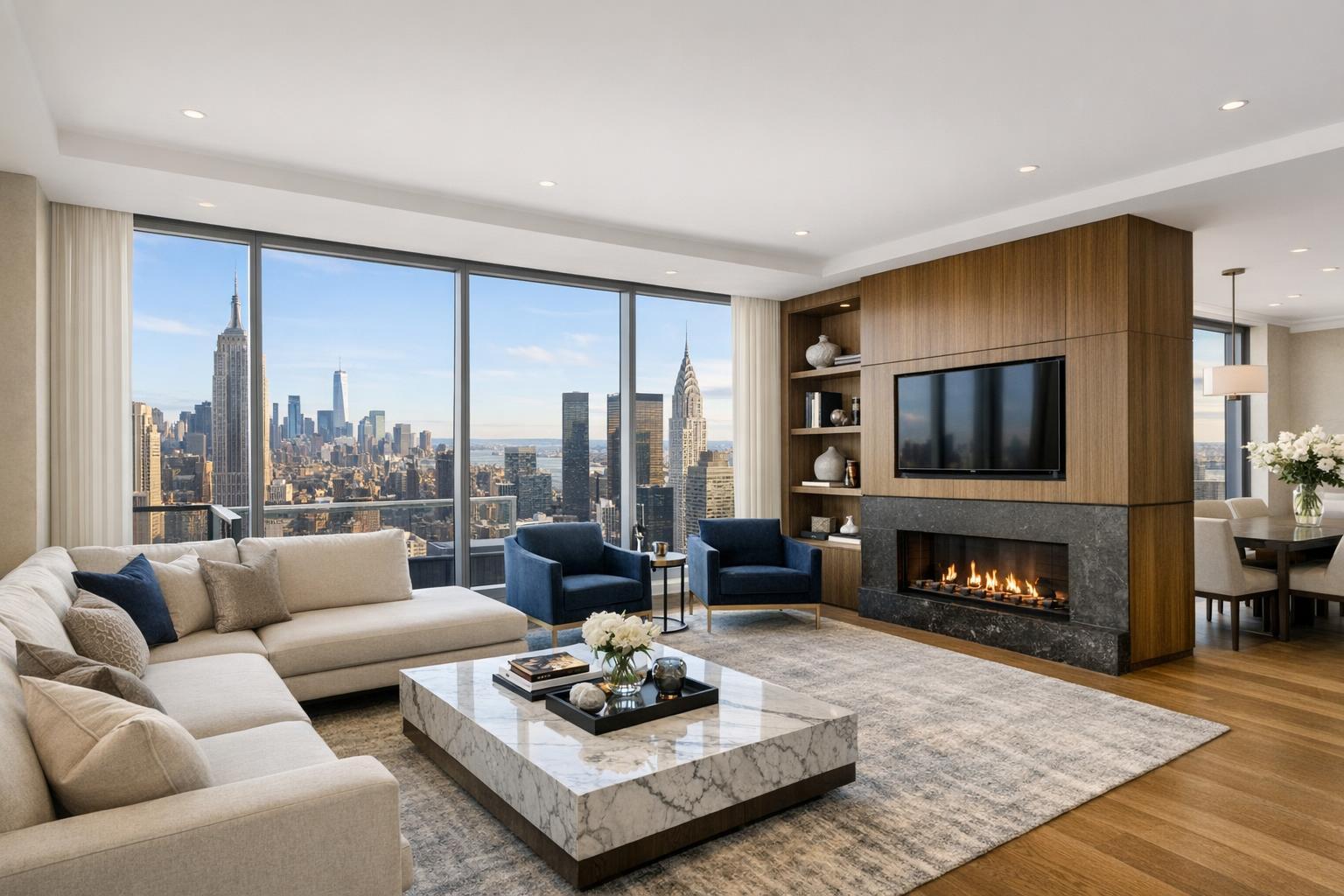
Virtual Staging NYC: How to Prepare a Vacant Listing for Digital Furnishing
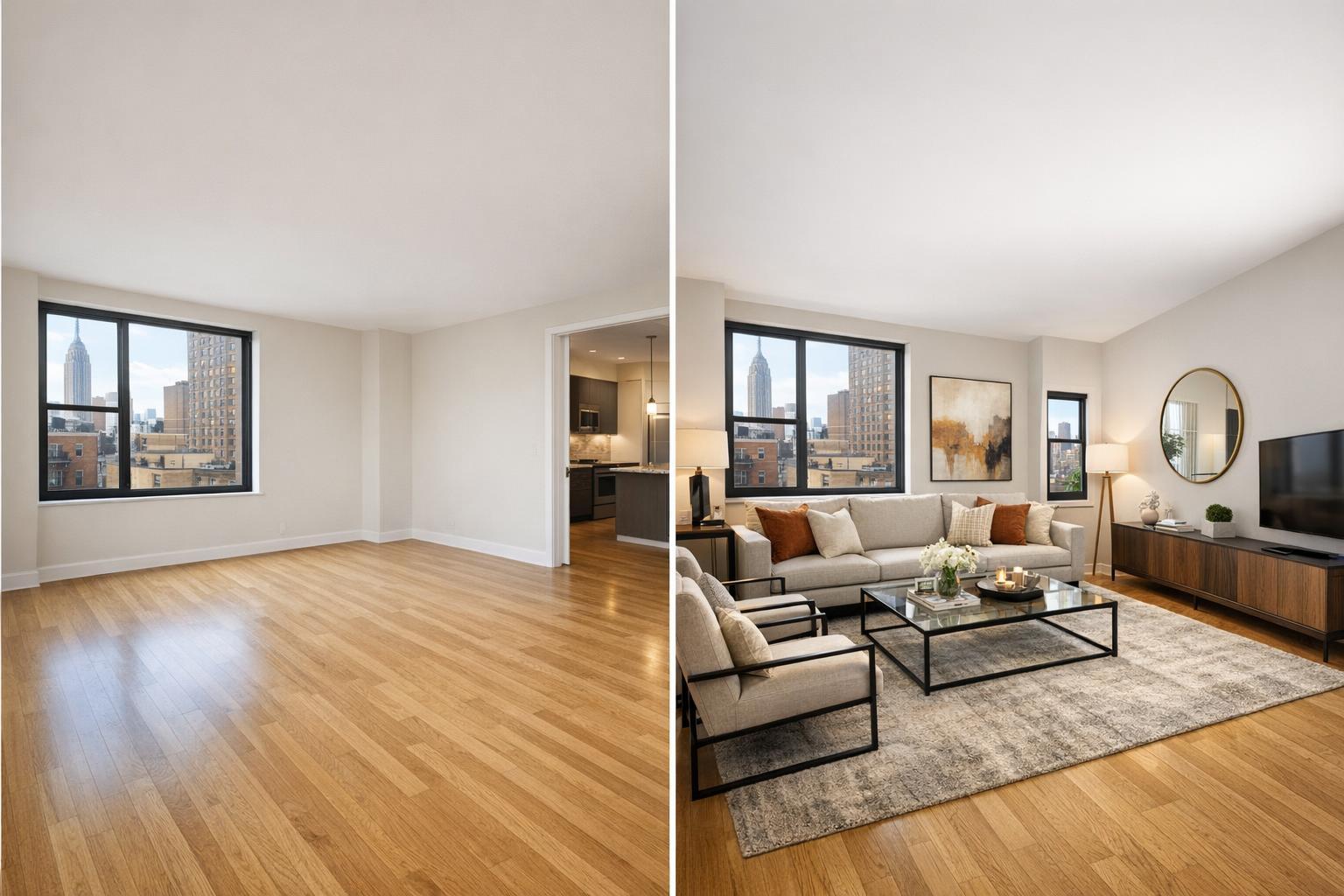
A comparison of an empty room versus a chic, furnished living area highlights the transformation possible through virtual staging NYC.

Virtual Staging NYC: Preparing Vacant Listings for Digital Furnishing
Virtual staging NYC is quickly becoming an essential tool for presenting empty apartments, condos, brownstones, and rentals in a way that feels understandable—before anyone ever steps inside. Even the most pristine, professionally photographed vacant space can leave prospective buyers or tenants wondering how to use the rooms, how furniture might fit, or whether there’s flexibility for different setups. That’s where digital furnishing makes a difference, filling in the visual blanks while remaining true to the property’s real dimensions and features.
Why Virtual Staging Works So Well for New York City Listings
Every NYC property comes with its own set of questions—quirky layouts, compact spaces, alcove offices, odd corners, or multi-use rooms. While an empty photo is honest, it often doesn’t give viewers a practical sense of flow. Virtual staging services in NYC add digital furniture, rugs, lighting, and décor to actual photos, creating a visual reference that helps people imagine how everyday life might unfold in that space.
Importantly, virtual staging is not a substitute for accurate photography. It doesn’t mask flaws or invent architectural changes. Instead, it highlights possibilities and clarifies scale—helping explain, not deceive.
The Value of Pairing Empty and Staged Photos
Strong listing photography is always the foundation. The best galleries show both the true, vacant room and a virtually staged version from the same angle. This balance gives viewers the facts and the context: they can see architectural details, flooring, and light in the original shot, then immediately view how furniture could fill the space.
Typical practices include:
- An unedited photo that shows the actual room
- A virtually staged counterpart, from the same vantage point
- Clear photo labels so viewers know which images are digitally enhanced
This approach invites potential buyers or renters to interpret the layout, but also to visualize how they might live there. It’s a visual conversation rather than an attempt to sell an illusion.
Choosing Which Rooms to Digitally Furnish
Not every space benefits from digital furnishing, and too much staging risks overwhelming the gallery. Focus on rooms where function or scale is in question, or where seeing furniture helps answer practical layout questions.
Living Areas
Open-plan living rooms, great rooms, or unusual layouts are often hardest to visualize when empty. A thoughtfully staged image shows how a sofa, armchairs, coffee table, and maybe a media console would fit—without crowding every wall. Large spaces sometimes benefit from two arrangements to show potential for multiple zones.
Bedrooms
Most buyers or tenants expect to see where a bed, nightstand, and dresser would fit. Using realistic furniture proportions gives a sense of scale and avoids making rooms look too small or surprisingly large.
Dining Nooks and Open-Plan Kitchens
Defining a dining area—especially in NYC apartments where “dining space” can mean many things—helps set expectations. A round table in a corner, or a rectangular table alongside the kitchen, demonstrates real-life use that bare floors just can’t.
Home Offices and Flexible Rooms
Bonus spaces, alcoves, or dens can serve multiple purposes. Showing two uses (e.g., an office setup and a guest room) in separate, clearly labeled images sparks more ideas without suggesting false features.
Setting the Stage: How to Prepare Vacant Rooms for Virtual Staging
Virtual staging only works well if the starting photos are clean and clear. Here are the essentials for prep:
- Remove all physical furniture, rugs, and loose décor from any room to be staged
- Take out moving boxes, supplies, stray cords, and leftover personal items
- Make sure windows and built-in features are unobstructed
If furniture remains and can’t be moved before photography, professional clutter removal editing is required before the digital furniture is added. RealtaSnap’s policy is simple: AI virtual staging only happens on clear, vacant spaces, or on images that have already had approved clutter removal edits completed. Digital furniture is not layered over existing couches or beds.
Style Choices: Enhancing Rooms Without Distracting from Them
Effective virtual staging matches the property’s personality. A sleek Manhattan condo looks best with modern, neutral furnishings that complement the finishes, while a Brooklyn brownstone may call for a mix of classic pieces and richer textures. Most importantly, scale and arrangement should reflect the actual space, leaving enough room to walk around and ensuring nothing blocks windows, doors, or radiators.
Before selecting a style, consider:
- Is the digital furniture proportional to the room size?
- Can viewers see logical walking paths?
- Are permanent features (closets, windows, fixtures) left visible?
- Does the arrangement make sense for how people might use the space?
Believable arrangements not only make the listing more attractive—they help prevent surprises during in-person viewings.
Workflow Tips for Agents and Property Owners
For an efficient and smooth process, virtual staging should be part of the listing plan from the beginning. Here’s how a straightforward workflow might look:
- Decide which vacant rooms would benefit most from digital staging
- Clear those rooms fully (or arrange for clutter removal)
- Schedule professional photography, selecting virtual staging as an add-on
- Share any specific style or functional preferences up front
- Review the digital staging alongside the original photos to ensure everything feels natural
- When uploading images, clearly label which are virtually staged
With RealtaSnap, AI virtual staging is available as an add-on for $10 per photo when booking your listing shoot. Keeping both the photography and the staging with one provider makes it easy to choose the clearest base images and keep the whole listing process organized. Book your service and learn about current add-on pricing at RealtaSnap’s online booking page.
The Role of Virtual Staging: Visual Explanation, Not Concealment
Virtual staging shines when your listing needs context—helping people picture the possibilities. It is not the right solution if the goal is to mask permanent flaws or misrepresent the property. Used honestly, digital furnishing helps buyers and renters connect with your space, imagine living there, and recognize how flexible it could be.
If you have a vacant NYC property and want to make it easy for buyers or renters to see its potential, start with spotless photographs and realistic digital furnishing. Share both the empty and staged versions. It’s a low-hassle way to make your listing memorable and easy to understand.
Ready to prepare your NYC or New Jersey listing with professional photography and virtual staging? You can learn more and get started at www.RealtaSnap.com.
FAQ
Question: Can I use virtual staging in rooms that still have furniture?
Answer: No, AI virtual staging is designed for clear, empty spaces. If furniture remains in a room, it should either be removed before photography or a paid clutter removal edit is needed before digital staging happens.
Question: How should virtually staged photos be presented in my listing?
Answer: Always label any image that has been digitally furnished. For clarity and transparency, it’s best to show both the empty room and the staged version so viewers know what’s real and what’s a digital illustration.
Question: Where does RealtaSnap offer virtual staging and listing photography?
Answer: RealtaSnap serves New York City (all boroughs) and New Jersey as primary markets. Some parts of Westchester and Upstate New York may be available on a case-by-case basis, depending on project details.
If you're looking to make your vacant listing feel fresh, clear, and visually compelling, learn more or book a session at www.RealtaSnap.com.